
- Store
BD/DVD
Video
Mobile
- Windows Software
- iPhone Data Recovery
- iPhone Transfer
- Mac software
- iPhone Data Recovery for Mac
- iPhone Manager for Mac
PDF
- Windows Software
- PDF Converter Ultimate
- Mac software
- PDF Converter for Mac
Freeware
- Support
Convert MTS videos to any popular formats, such as MP4, MOV, AVI, MKV, WMV, FLV, HD MOV, HD AVI, HD MP4, etc. for your easily watching on iPhone, iPad, iPod, Samsung Galaxy, PS3 and other portable players.

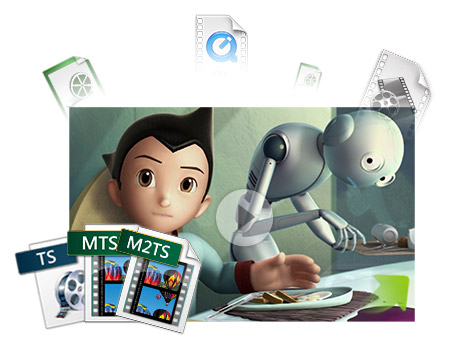
iCoolsoft MTS converter for Mac enables Mac users to convert camcorder AVCHD videos to almost all video formats like MOV, MP4, MPEG-4, H.264, AVI, WMV, MKV, FLV, HD MOV, HD AVI, HD MPEG and audio formats such as, AAC, AC3, AIFF, FLAC, MP3, M4A, OGG, etc.
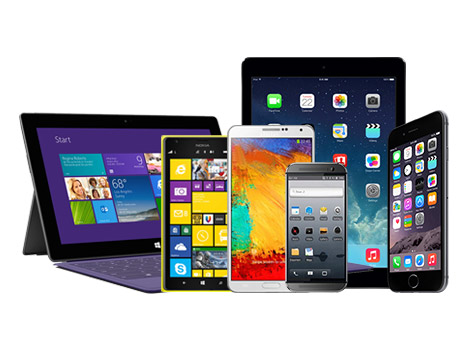
This MTS Converter Mac also helps you watch MTS videos on various portable players, such as iPhone 6/iPhone 6 Plus, iPhone 5s/5c, iPad Air/2, iPad 4, iPad mini/2/3, iPod, Apple TV, Samsung Galaxy Note 3/S5, PSP, PS3, Wii, Zune, Archos, Creative Zen, iRiver, Xbox 360, BlackBerry, and so on. You just need to choose a profile and all settings will be optimized before converting.

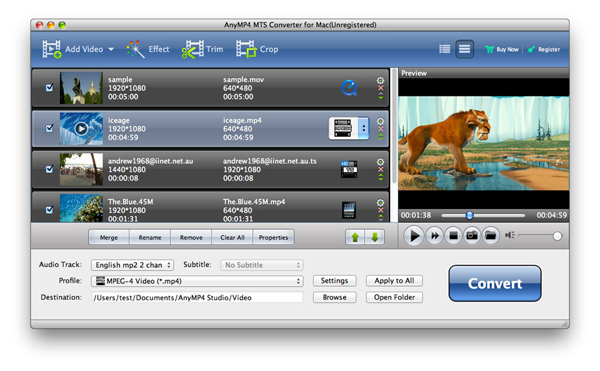
Besides using the ready profiles, you have the option of tweaking all video and audio parameters, including Video Encoder, Resolution, Frame Rate, Video Bitrate, Audio Encoder, Sample Rate, Channels, Audio Bitrate, etc.
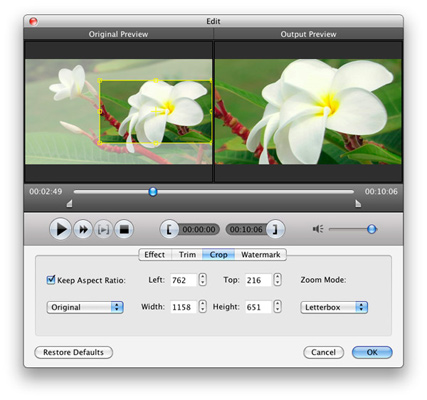
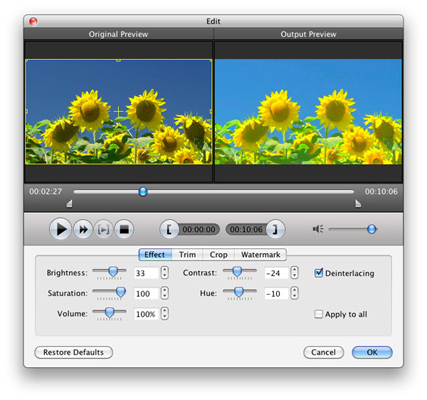
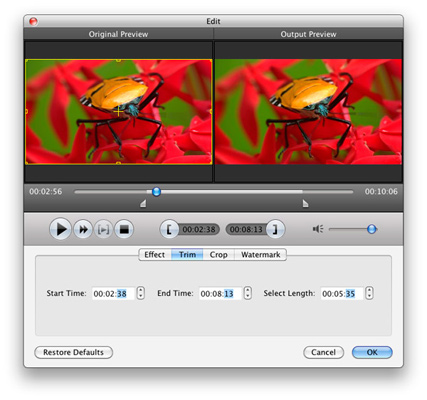
This versatile Mac MTS converter also helps you edit MTS videos as you like. You can trim MTS video to get your favorite segment, crop playing region to retain designated part, merge multiple videos into one file, adjust video Brightness, Contrast and Saturation, add text or picture watermark, and so on.
With the powerful functions, this MTS Converter for Mac is also extremely easy to use, due to its intuitive interface and smartly organized menus. There are also more features to facilitate your converting, such as Batch Conversion, Real-time Preview, Background Mode, After-Done Action, etc.

| Video | Standard video formats: TS, MTS, M2TS HD video formats: MTS, TS, M2TS, TP, TRP |
|---|---|
| Audio | Standard audio formats: MP3, MP2, AAC, AC3, WAV, WMA, M4A, RM, RAM, OGG, AU, AIF, AIFF, APE, FLAC, CUE |
The comprehensive Video Converter to convert video/DVD to HD/3D videos and audio formats, download and convert online videos like YouTube.
Learn More >>
This powerful MP4 Converter for Mac can convert all popular HD videos and general videos to MP4 or H.264 videos optimized for various Portable devices.
Learn More >>
It can help you convert HD videos, general video and audio files to MOV format for watching in QuickTime, editing in iMovie, or managing in iTunes.
Learn More >>