
- Store
BD/DVD
Video
Mobile
- Windows Software
- iPhone Data Recovery
- iPhone Transfer
- Mac software
- iPhone Data Recovery for Mac
- iPhone Manager for Mac
PDF
- Windows Software
- PDF Converter Ultimate
- Mac software
- PDF Converter for Mac
Freeware
- Support
iCoolsoft AVCHD Video Converter enables you to convert AVCHD MTS, M2TS files to all popular video formats with much smaller file size and almost the same image quality. This AVCHD Converter supports almost all HD and general video formats like MP4, MOV, AVI, WMV, ASF, RM, RMVB, MPG, MPEG, VOB, DAT, M4V, MKV, 3GP, FLV, SWF, etc.
This tool can not only convert AVCHD videos, but also extract audio files from AVCHD videos and convert video/audio files to popular audio formats like AAC, AC3, AIFF, AMR, AU, FLAC, MP3, M4A, MP2, OGG, WAV, WMA, etc.
Various optimized profiles are provided for you to directly convert AVCHD videos to videos compatible with iPhone (iPhone 6/6 Plus), iPad (iPad 4/Air 2/mini 3), iPod, Apple TV, PSP, PS3, Xbox, Zune, Samsung Galaxy 6, Note 3, HTC M9/M8, Moto X, Nexus, Nokia Lumia 930/925/1020/1520, Microsoft Surface Pro, Archos, iRiver, Creative Zen, and other media devices.
Besides, this AVCHD Video Converter can convert AVCHD videos to the formats that can be edited in software like iMovie, Adobe Premiere, Sony Vegas, Final Cut Pro, etc.

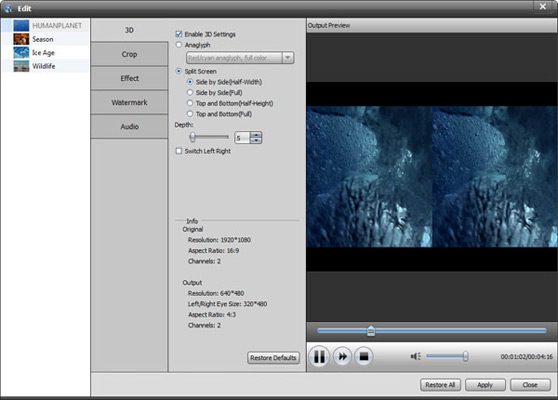
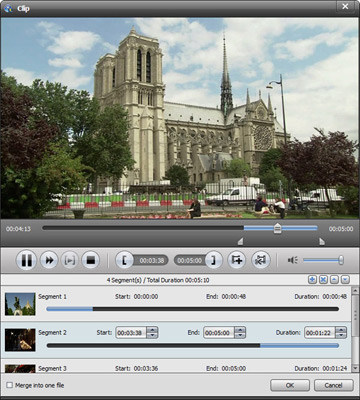
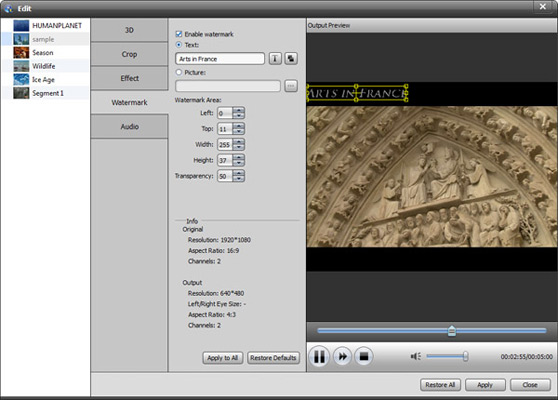
iCoolsoft AVCHD Video Converter also helps you edit AVCHD videos as you like. You can trim video to cut unwanted parts, crop video playing region to remove black bars, merge videos, and adjust effect like Brightness, Contrast, and Saturation to improve the output quality. Also you can choose Audio Track and Subtitle for output videos and add text or image watermark to video to state copyright or show personality, the position, font, style of watermark can all be customized.
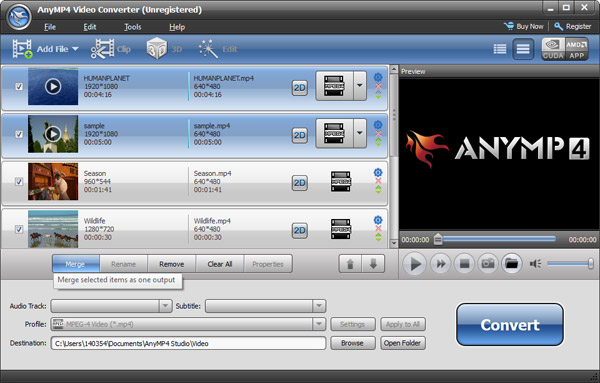
In the main window of iCoolsoft AVCHD Video Converter, you can preview the source videos. In the edit window, you can check the output effect, and compare the original and modified videos as you want. Snapshot button is provided for you to easily capture picture from video.
Free download this AVCHD video converter to convert/manage your camcorder recorded videos in a much easier way.
| Video | Standard video formats: TS, MTS, M2TS, MXF, TRP, TP, MP4, M4V, QT, MOV, MPG, MPEG, MPEG2, MPEG4, MJPG, MJPEG, AVI, 3GP, 3G2, FLV, MOD, TOD, RM, RMVB, WMV, ASF, MKV, SWF, F4V, VOB, DAT, DV, DIF, OGM, WTV, DVR-MS, Bink video, WebM HD video formats: MTS, TS, M2TS, TP, TRP, HD MPG, HD MPEG, HD MPEG2, HD MPEG4, HD MP4, HD WMV, QuickTime HD MOV |
|---|---|
| Audio | Standard audio formats: MP3, MP2, AAC, AC3, WAV, WMA, M4A, RM, RAM, OGG, AU, AIF, AIFF, APE, FLAC, CUE |
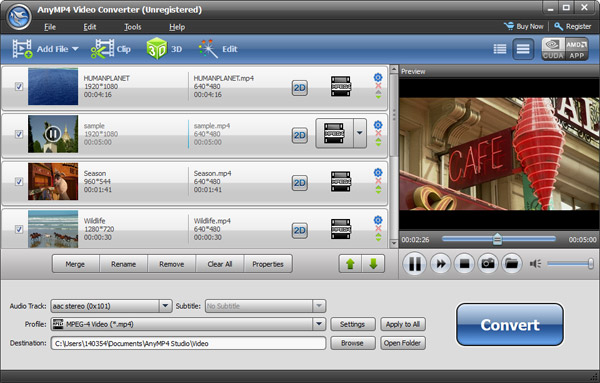
It is the versatile video/DVD Converter to convert all common/HD video files and DVD discs/folders/IFO files to any video format you want.
Learn More >>
The all-in-one player to play Blu-ray discs, Blu-ray folders and ISO image files, and any media file including 1080p HD videos and AVCHD videos smoothly.
Learn More >>
Create DVD disc/folder/ISO image file from video formats like MP4, AVI, MKV, etc. as well as HD video formats with multiple DVD menu templates.
Learn More >>