
- Store
BD/DVD
Video
Mobile
- Windows Software
- iPhone Data Recovery
- iPhone Transfer
- Mac software
- iPhone Data Recovery for Mac
- iPhone Manager for Mac
PDF
- Windows Software
- PDF Converter Ultimate
- Mac software
- PDF Converter for Mac
Freeware
- Support

This iCoolsoft MOV Converter for Mac software can help you convert HD videos, general video and audio files like AVI, WMV, MPEG, FLV, MPG, MTS, TS, M2TS, MKV and VOB to MOV format for watching in QuickTime, editing in iMovie, management in iTunes, and so on. This Mac MOV File Converter also can convert MOV to other video formats like MP4, AVI, WMV, MPEG and more on Mac. What's more, HD and 3D videos are also supported by this versatile MOV Converter for Mac.
Besides, this tool helps extract video to audio and convert between audio formats like MP3, AAC, AC3, WMA, M4A, OGG, FLAC, etc. Lots of profiles are provided to help you directly get videos playable on your device.
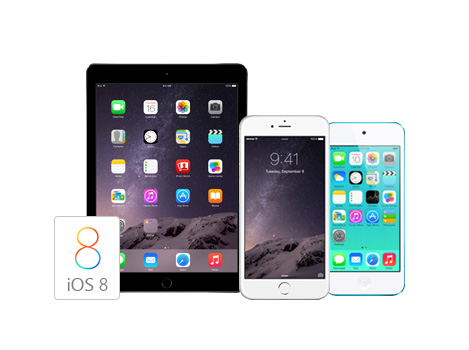
MOV, the QuickTime video format, is widely used on Mac OS. Almost all Mac media players and video editing software support MOV format. The best MOV Converter for Mac can convert HD videos and general videos to MOV files for your easier editing and watching on Mac OS. MOV videos are well supported by popular devices like iPhone 6/6 Plus, iPhone 5s/5c/5, iPad Air 2/mini 3, iPod touch/nano, Apple TV and video-editing software like iMovie, and Final Cut Pro.

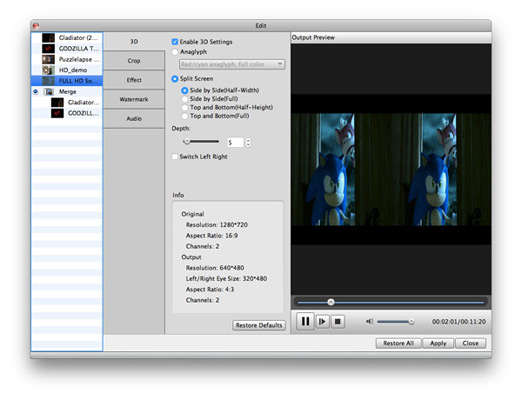
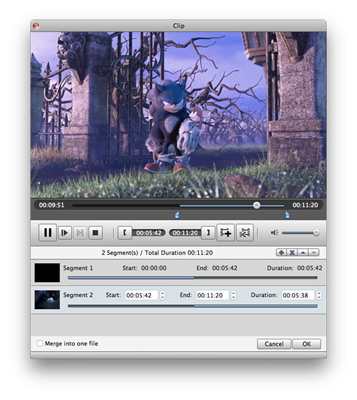
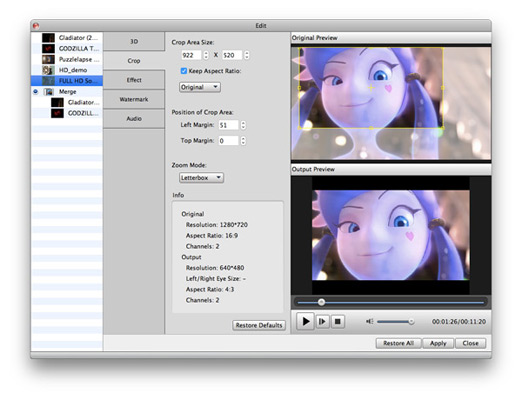
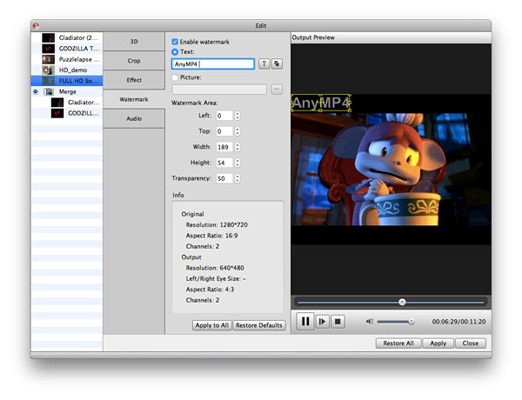
The powerful iCoolsoft MOV Converter for Mac also enables you to adjust video and audio encoding settings with powerful video editing features like trimming video length, cropping screen area, merging video clips, adjusting effect, adding watermark, and so on. All the editing effect can be previewed in real time, so that you can check the output video to ensure that you get the exact effect as you want.
You can choose Audio Track and Subtitle for output videos; adjust encoding settings like Video Encoder, Resolution, Frame Rate, Video Bitrate, Audio Encoder, Sample Rate, Channels, Audio Bitrate, etc.
MOV and other professional codecs are built in, so that there is no need to search for other codecs. Batch Conversion, Multithreading and full support of Dual Core CPU ensure the fastest converting speed. Also you can capture pictures from videos and get JPEG, GIF, BMP image files. Background Mode and After-Done Action of iCoolsoft MOV Converter for Mac can provide you with the easiest converting experience.

| Video | Standard video formats: TS, MTS, M2TS, MXF, TRP, TP, MP4, M4V, QT, MOV, MPG, MPEG, MPEG2, MPEG4, MJPG, MJPEG, AVI, 3GP, 3G2, FLV, MOD, TOD, RM, RMVB, WMV, ASF, MKV, SWF, F4V, VOB, DAT, DV, DIF, OGM, WTV, DVR-MS, Bink video, WebM HD video formats: MTS, TS, M2TS, TP, TRP, HD MPG, HD MPEG, HD MPEG2, HD MPEG4, HD MP4, HD WMV, QuickTime HD MOV |
|---|---|
| Audio | Standard audio formats: FLAC, WAV, WMA, MP3, MP2, AAC, AC3, AIFF, APE, CAF, MPC, QCP, OGG, M4A, M4B, AUD, MKA, AIFC, RA, RAM, AU, AIF, CUE |
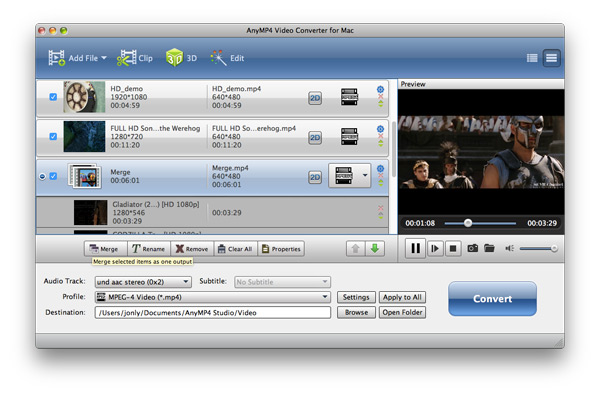
This powerful FLV Converter for Mac can convert FLV, SWF videos to MOV, MKV, MP4, AVI, MPEG, WMV, 3GP, MKV and other more popular video formats.
Learn More >>
The best Blu-ray media player for Mac users to play Blu-ray disc, Blu-ray Folder, Blu-ray ISO image files and 1080p HD videos on Mac.
Learn More >>
Create DVD disc/folder/ISO image file from video formats like MP4, AVI, MKV, etc. as well as HD video formats with multiple DVD menu templates.
Learn More >>