
- Store
BD/DVD
Video
Mobile
- Windows Software
- iPhone Data Recovery
- iPhone Transfer
- Mac software
- iPhone Data Recovery for Mac
- iPhone Manager for Mac
PDF
- Windows Software
- PDF Converter Ultimate
- Mac software
- PDF Converter for Mac
Freeware
- Support
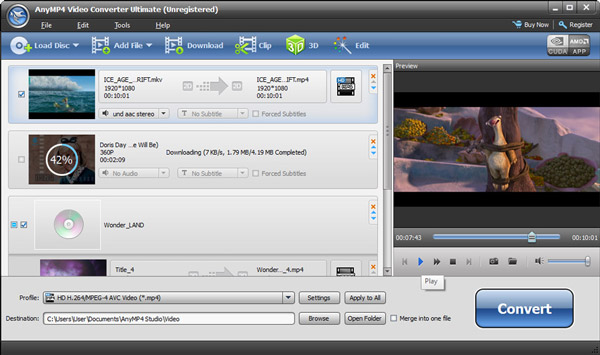
This Total Media Converter has the ability to convert media files including videos and audios to the format you need. It can convert video to other video formats like MP4, MOV, MKV, WMV, AVI, DivX, 3GP, FLV, AVCHD, M2TS, and so forth. It supports HD video formats like HD MP4, HD AVI, HD MOV, and more. This software also can convert between any audio formats as well as extract audio tracks from videos and then convert to the audio format you prefer.
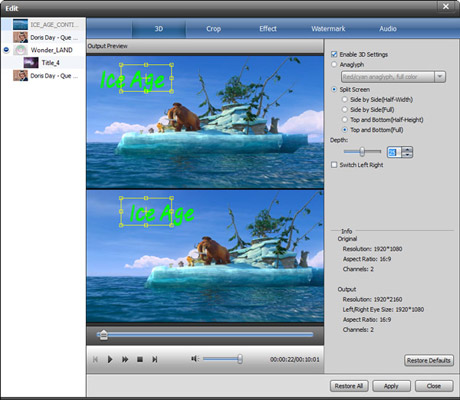
What's more, this wonderful Media File Converter can convert 2D videos to 3D videos for you to enjoy with stereo effects. Various 3D modes are provided for you choose like Anaglyph, Slide by Slide, Top and Bottom according to your 3D player device.
With this best Media Converter, you can convert DVD disc, DVD folder and DVD ISO image files to any popular video/audio format. What's more, you are allowed to convert DVD movies to 3D videos as well.
Thanks to this Mobile Media Converter, you can enjoy your favorite DVD movies with portable devices such as iPhone 6/6 Plus, iPhone 5s/5c/5, iPad 4/Air 2/mini 3, iPod Touch, iPod Nano, Apple TV, Surface Pro, Lumia 930, Nexus 6, Samsung Galaxy Note 3, HTC One M8, Moto X, Zune, Creative Zen, etc.
This versatile Total Media Converter also has the capability to download online videos from YouTube and other online video sites like Vimeo, Metacafe, Facebook, Dailymotion, Vevo, Yahoo, etc. Then you can convert the download videos, e.g. YouTube videos to the format you need to watch on your portable devices.
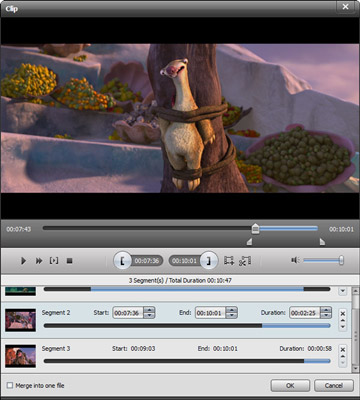
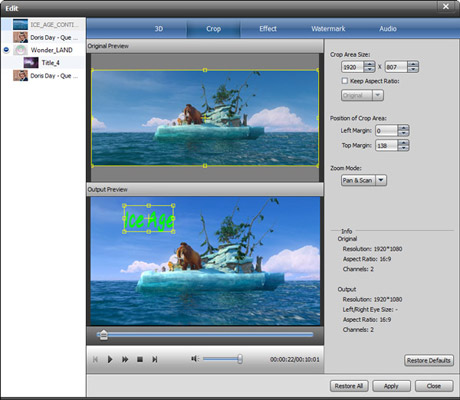
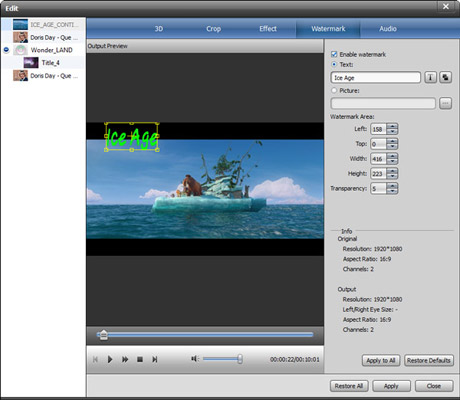
iCoolsoft Total Media Converter enables you to edit the original files the way you like. You can adjust the Brightness, Contrast and Saturation of videos/DVDs; trim any time length of clips from videos/audios/DVDs; crop displaying area; as well as adding text/picture watermark. You are also free to set the output parameters to make the output files meet any of your specific needs.
This Total Media Converter owns a built-in player and enables you to preview the video. The conversion speed of this All Media Converter is really fast and the operation of it is quite easy.
| DVD | DVD Disc, DVD Folder, ISO Files |
|---|---|
| Video | Standard video formats: MPG, MPEG-1, MPEG-2, MPEG-4, MJPEG, VOB, DAT, MP4, DivX, Xvid, M4V, TS, MTS, M2TS, RM, RMVB, WMV, ASF, MKV, AVI, 3GP, 3G2, F4V, FLV, SWF, MPV, MOD, TOD, QT, MOV, DV, DIF, MJPG, MJPEG, TP, TRP, WebM HD video formats: MTS, TS, M2TS, HD AVI, HD MP4, HD WMV, HD MPG, HD MOV, QuickTime HD MOV, TP, TRP |
| Audio | Standard audio formats: MP3, MP2, AAC, AC3, WAV, WMA, M4A, RM, RAM, OGG, AU, AIF, AIFF, APE, FLAC, CUE |
Create DVD disc/folder/ISO image file from video formats like MP4, AVI, MKV, etc. as well as HD video formats with multiple DVD menu templates.
Learn More >>
The all-in-one player to play Blu-ray discs, Blu-ray folders and ISO image files, and any media file including 1080p HD videos and AVCHD videos smoothly.
Learn More >>
Convert WLMP files to to WMV, MP4, AVI, MOV, FLV, MP3, and other video/audio formats to play on iPhone, upload to YouTube, etc.
Learn More >>