
- Store
BD/DVD
Video
Mobile
- Windows Software
- iPhone Data Recovery
- iPhone Transfer
- Mac software
- iPhone Data Recovery for Mac
- iPhone Manager for Mac
PDF
- Windows Software
- PDF Converter Ultimate
- Mac software
- PDF Converter for Mac
Freeware
- Support
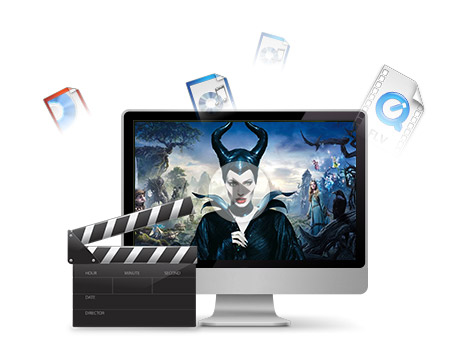
Looking for an all-in-one video converter that supports all digital devices? Please have a try with this iCoolsoft MP4 Converter, which can not only help you convert videos between popular formats, but also integrates profiles optimized for almost all portable players. So that you can easily get videos playable on any device as you like only if you have this MP4 Converter.
Almost all HD videos, general videos and audio files are supported as the input formats. This MP4 Video Converter helps convert them to all popular video/audio formats like MOV, M4V, (MPEG-4, H.264) MP4, (H.264, DivX, Xvid) AVI, HD AVI, HD MP4, HD MOV video and AAC, AC3, AIFF, AMR, AU, FLAC, MP3, M4A, MP2, OGG, MKA, WAV, WMA audio.
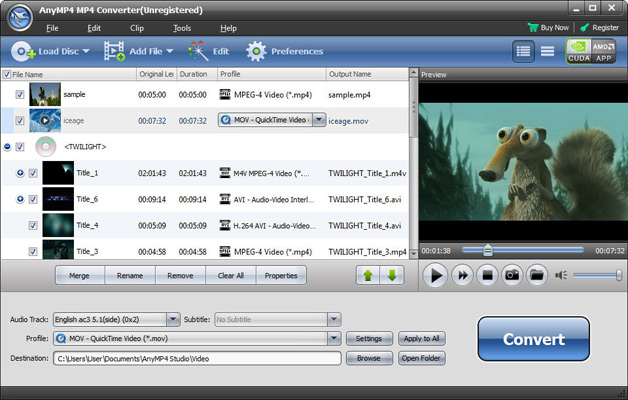
Each profile can be adjusted for you to customize the output quality. You can freely adjust Video Encoder, Resolution, Frame Rate, Video Bitrate, Audio Encoder, Sample Rate, Channels, Audio Bitrate, etc. to fit your device better. The modified profile can be saved as your own one for handier usage.
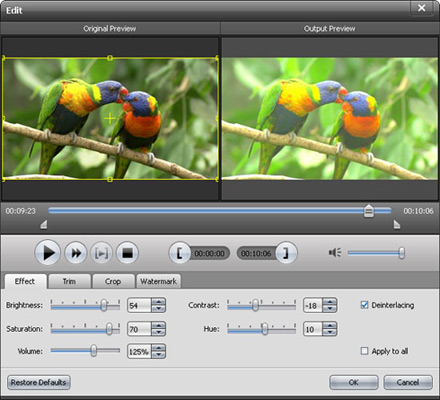
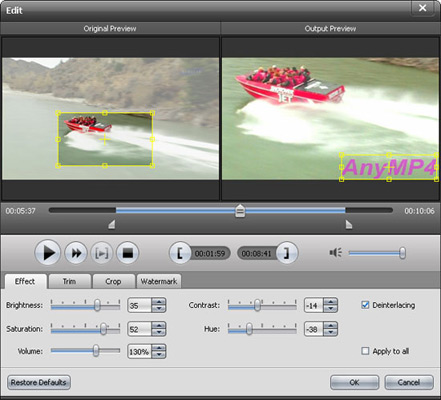
Video Brightness, Contrast, Saturation are also adjustable. And it helps apply deinterlaced videos to interlaced ones. You can easily apply the effect adjustment to all videos by one click.


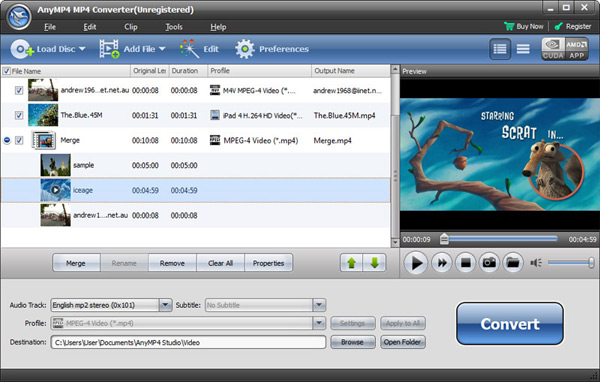
iCoolsoft MP4 Converter is a handy tool to help you create personalized videos. Powerful video editing functions are provided for you to edit videos before converting to portable players, such as movie trimming, video cropping, clips merging, effect adjustment, watermark creating, and so on.
With the best MP4 Converter, you can split or merge source videos to fit your portable player or for easier playback; set the video cropping area for output videos, and add text or image watermark to individualize your video. Besides, you can preview all editing effects in real-time before converting, and compare the original video and output video to easily get the exact effect you want.
Even beginners can easily use the pre-set profiles to get videos playable on their devices with iCoolsoft MP4 Converter. Also it allows you to manually adjust all video and audio parameters to create your own profile for specific device.
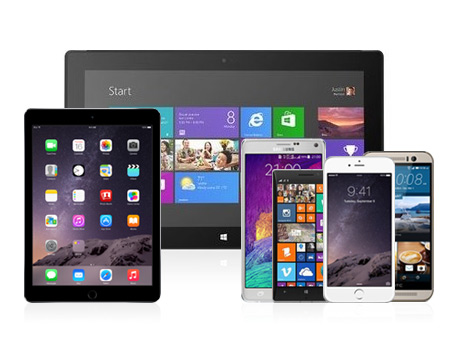
This MP4 Video Converter features supporting most digital devices, such as iPhone 6/6 Plus, iPhone 5s/5c/5, iPad 4/Air 2/mini 3, iPod touch/nano, Google Nexus, Moto X, Samsung Galaxy Note 3, HTC One M8, Lumia 1520/930, Surface Pro, Apple TV, PSP, PS3, Wii, Zune, Sony Walkman, Archos, Creative Zen, iRiver, Xbox 360, and so on.
| DVD | DVD Disc, DVD Folder, DVD ISO image File |
|---|---|
| Video | Standard video formats: TS, MTS, M2TS, MXF, TRP, TP, MP4, M4V, QT, MOV, MPG, MPEG, MPEG2, MPEG4, MJPG, MJPEG, AVI, 3GP, 3G2, FLV, MOD, TOD, RM, RMVB, WMV, ASF, MKV, SWF, F4V, VOB, DAT, DV, DIF, OGM, WTV, DVR-MS, Bink video, WebM HD video formats: MTS, TS, M2TS, TP, TRP, HD MPG, HD MPEG, HD MPEG2, HD MPEG4, HD MP4, HD WMV, QuickTime HD MOV |
| Audio | Standard audio formats: FLAC, WAV, WMA, MP3, MP2, AAC, AC3, AIFF, APE, CAF, MPC, QCP, OGG, M4A, M4B, AUD, MKA, AIFC, RA, RAM, AU, AIF, CUE |
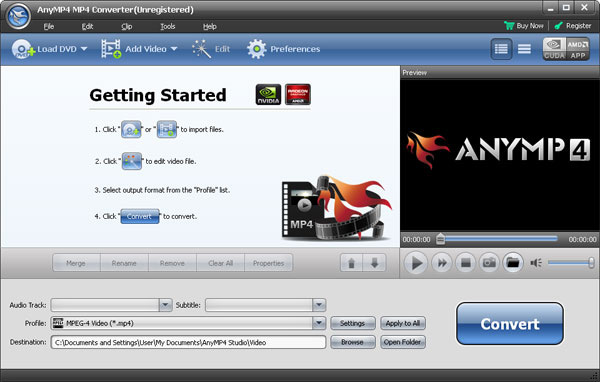
It is the versatile video/DVD Converter to convert all common/HD video files and DVD discs/folders/IFO files to any video format you want.
Learn More >>
The all-in-one player to play Blu-ray discs, Blu-ray folders and ISO image files, and any media file including 1080p HD videos and AVCHD videos smoothly.
Learn More >>
Create DVD disc/folder/ISO image file from video formats like MP4, AVI, MKV, etc. as well as HD video formats with multiple DVD menu templates.
Learn More >>