
- Store
BD/DVD
Video
Mobile
- Windows Software
- iPhone Data Recovery
- iPhone Transfer
- Mac software
- iPhone Data Recovery for Mac
- iPhone Manager for Mac
PDF
- Windows Software
- PDF Converter Ultimate
- Mac software
- PDF Converter for Mac
Freeware
- Support
With this DVD to FLV Conversion software, you are able to directly import DVD movie, and convert DVD to FLV, SWF videos, so that you can post them on the web or E-mail them to others. The output videos are compatible with YouTube, MySpace, Google Video, Yahoo! Video, Metacafe and more. Also, you are able to rip music DVDs to audios like MP3, WMA, M4A, AAC, WAV and so on.
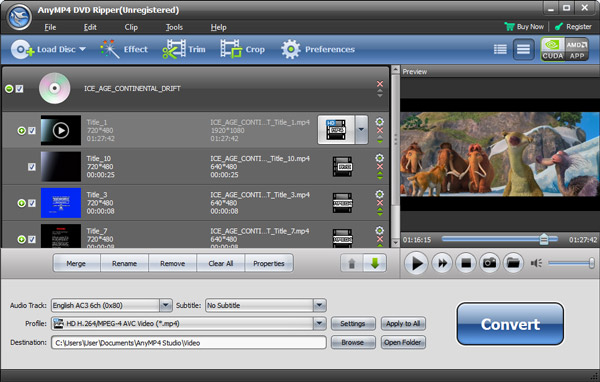
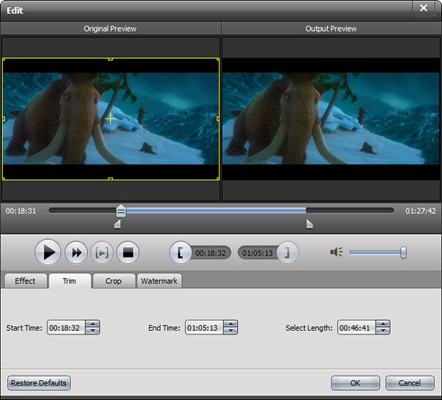
The DVD to FLV Ripper allows you to choose any DVD title or chapter to convert, select Audio Track and Subtitle for output files, and specify certain part by setting the start time and end time.
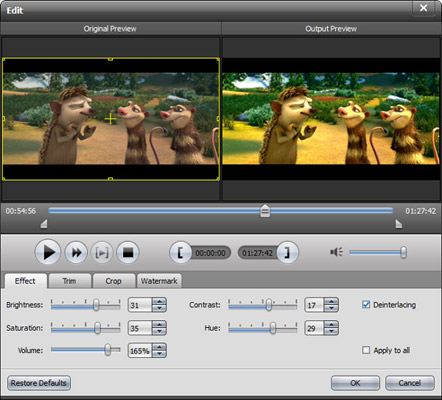
You are allowed to adjust all encoding settings like Video Encoder, Resolution, Frame Rate, Video Bitrate, Audio Encoder, Sample Rate, Channels, Audio Bitrate, etc. The modified profile can be saved as your own one for the handier usage in the future. You can also customize the DeCSS and DVD Loading mode. Set the video Brightness, Contrast, Saturation and apply deinterlacing to convert interlaced videos to progressive ones.

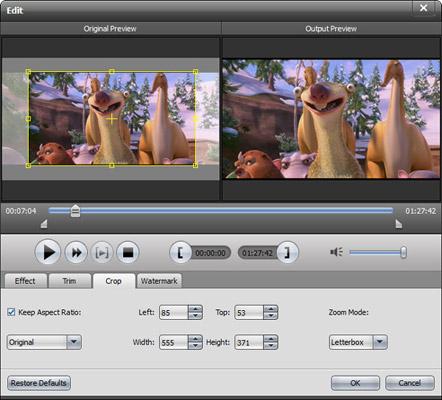
With this DVD to FLV Converter, you are able to select several videos in the file list and click Merge button to easily join them into one file, so that you can merge DVD chapters for your successive playback. And this FLV DVD Ripper Tool lists all DVD titles and chapters for you to choose and it also allows you to set the start time and end time to get your favorite segment. Besides, you can use the crop function to remove black edges or get any playing region as you want. Select the Zoom Mode from Keep Original, Full Screen, 4:3 and 16:9.
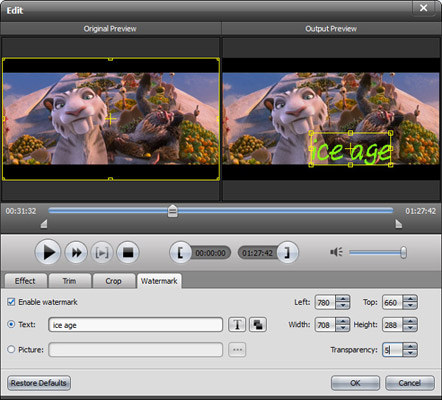
All needed codecs are built in, rich profiles are provided, and only a few clicks are needed to finish all the editing and converting. This DVD to FLV Converting software allows you to preview the source videos in the main interface and quickly take snapshot to save your favorite screen as image files. It also enables you to compare the original video and output video effect before converting.
| DVD | DVD Disc, DVD Folder, DVD ISO image file |
|---|
Rip DVD movies and convert DVD to MP4, AVI, DivX, MKV, MP4, WMV, FLV, 3GP, HD AVI, HD H.264, HD WMV and extract DVD audio tracks.
Learn More >>
Create DVD disc/folder/ISO image file from video formats like MP4, AVI, MKV, etc. as well as HD video formats with multiple DVD menu templates.
Learn More >>
Convert video and DVD discs/folders/ISO files to 2D/3D/HD videos and audios you want. Download online videos like YouTube, Vevo, Facebook, etc.
Learn More >>