



How to Convert Flash Files to 3GP Format on Mac?
You must have your favorite Flash videos you want to watch at any time and any place, but you may get tired that you have to watch them only on your computer. iCoolsoft Flash Converter for Mac is your wise choice to convert your flash files to high quality 3GP/MP4 format playable on any mobile devices on Mac.
iCoolsoft Flash Converter for Mac is also a video editor which enables you edit videos by splitting, merging, cropping, adjusting effect, adding watermark, etc. You can easily create personalized Flash videos for posting on the web.
First of all, free download iCoolsoft Flash Converter for Mac. Install and launch it.
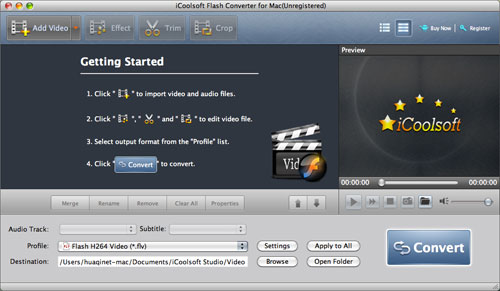
Secondly, click "Add Video" button to add Flash videos.
Tip: You can preview the Flash videos in the preview pane and take snapshot by clicking button  .
.
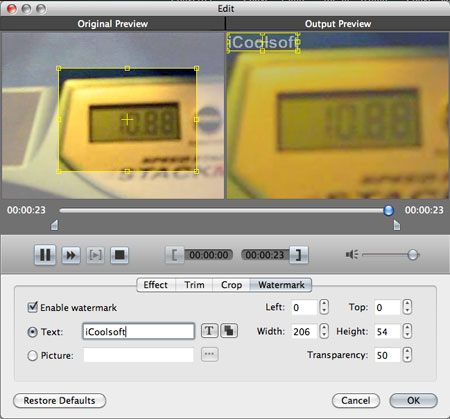
Thirdly, you can click button "Effect", "Trim", or "Crop" to adjust effect, trim clips, crop displaying area, and add text/picture watermark.
Fourthly, select 3GP format from the drop-down list of "Profile".
Tip: Set output parameters, including Resolution, Frame Rate, Video Bitrate, Sample, Channels, and Audio Bitrate.
Lastly, set the destination and click button "Convert" to start the conversion.
That's all the steps needed to convert Flash video files to 3GP format on Mac with iCoolsoft Flash Converter for Mac. The conversion speed of this software is very fast. So you only have to wait for a while until the conversion is finished.
