


What is iPod Touch MP4 Format?
The MP4 file format defined some extensions over ISO Base Media File Format to support MPEG-4 visual/audio codecs and various MPEG-4 Systems features such as object descriptors and scene descriptions. Some of these extensions are also used by other formats based on ISO base media file format (e.g. 3GP).The MP4 is directly based upon QuickTime File Format. MPEG-4 Part 14 or MP4, formally ISO/IEC 14496-14:2003, is a multimedia container format standard specified as a part of MPEG-4. It is most commonly used to store digital video and digital audio streams, especially those defined by MPEG, but can also be used to store other data such as subtitles and still images.
If you want to play the WMV on the iPod Touch so you need to a converter to change it in the MP4 format.
How to Convert WMV to iPod Touch MP4 Format?
.jpg)
Step 1: Download iCoolsoft iPod Touch Video Converter, set up and launch the software.
Step 2: Click  button on the tool bar to add the WMV video you want to convert. You can preview the video in the preview pane. If you like some scene of the video and want to save it, you can click the
  button to take snapshot of it.
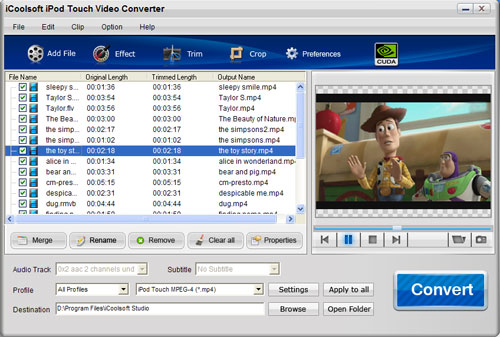
Step 3: Click button  ,
,  , or
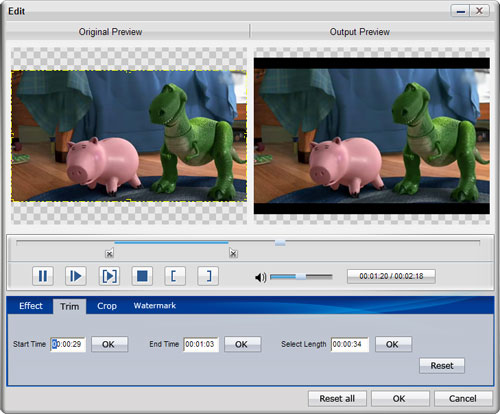
, or  then you can adjust the Brightness, Contrast and Saturation; trim any time length of clips; or crop the display area as you like easily. You can also add text/picture watermark in the edit window.
Tip: This step is just an additional function the software provided. If you do not want to edit the original video, you can directly skip this step.
Step 4: Set the output parameters by clicking button "Settings". Resolution, Frame Rate, Video Bitrate, all these parameters can be setted as you like.
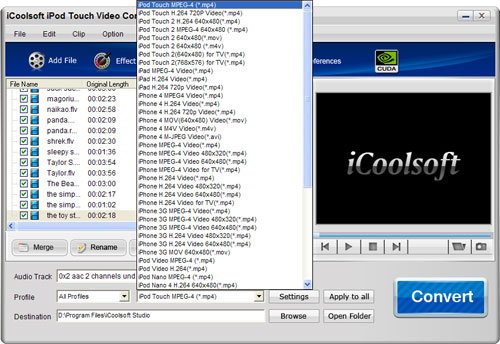
Step 5: Choose iPod Touch MP4 format from the "Profile" combo-box, and set the export folder by clicking the "Browse" button.
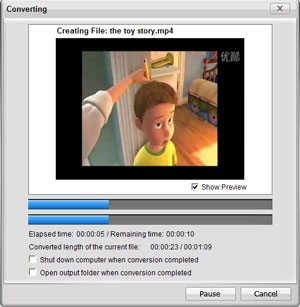
Step 6: Click  button to convert videos. It will show you the progress of the converting. You can check "Shut down computer when conversion completed" or "Open output folder when conversion completed" which can save you a lot of time and energy.